
How to Use Shopify Magic and AI Tools to Run Your Store Faster in 2026
How to Use Shopify Magic and AI Tools to Run Your Store Faster in 2026
Running a Shopify store in 2026 looks nothing like it did three years ago. Back then, writing product descriptions meant staring at a blank page for twenty minutes. Creating marketing emails meant hiring a copywriter or spending hours in Klaviyo. Editing a product photo background meant paying a designer or fumbling through Photoshop.
Today, every one of those tasks takes minutes — or in some cases, seconds — thanks to the AI tools built directly into Shopify and the ecosystem of third-party AI apps that surround it.
<cite index="21-1">Shopify Magic saves the average merchant 15–20 hours per week and $8,700 or more per year in content creation costs.</cite> That's not a marketing claim — it's documented time savings from real merchants using the tools at scale.
But here's the problem: most Shopify store owners are using a fraction of what's available. They've heard of Shopify Magic, maybe used it to write a product description once, and moved on. They have no idea that Sidekick can answer questions about their store data in plain English, that Flow can automate entire operational workflows without writing a line of code, or that their store is now discoverable by AI shopping agents inside ChatGPT and Google.
This guide covers every major Shopify AI tool available in 2026, what each one actually does, and how to use them together to run a faster, leaner, more profitable store.
What Is Shopify Magic? The Foundation of Everything
Before exploring the full toolkit, it helps to understand what Shopify Magic actually is — because the term gets used loosely.
<cite index="21-1">Shopify Magic is Shopify's free, built-in AI assistant that generates product descriptions, email campaigns, customer support responses, and store content automatically. Available on all Shopify plans at no extra cost, it uses Large Language Models trained on your store's data to produce personalized content in seconds.</cite>
<cite index="27-1">Unlike third-party AI tools, Shopify Magic is natively integrated into the Shopify platform, meaning store owners do not need external software, plugins, or separate subscriptions to start using it.</cite>
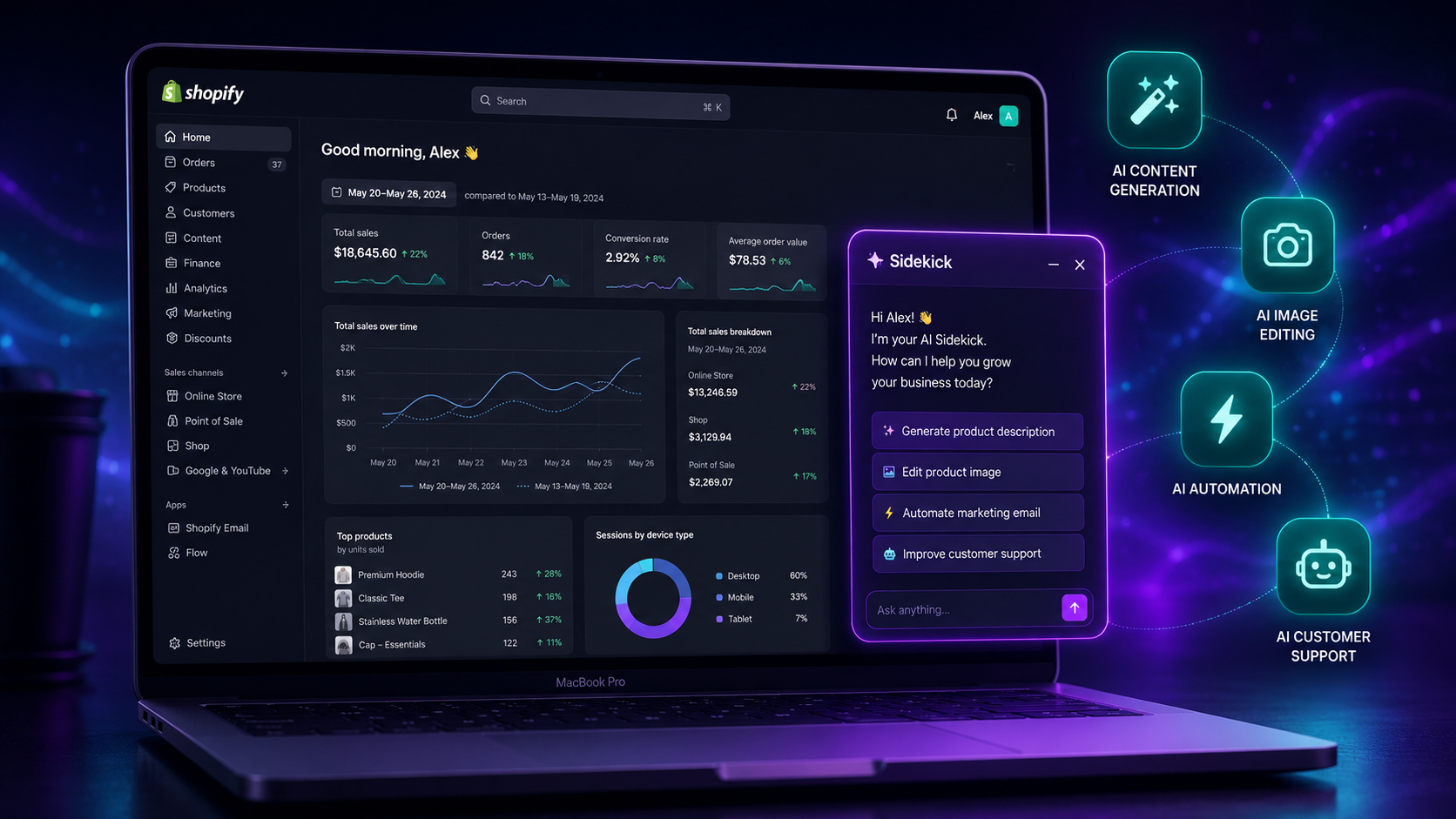
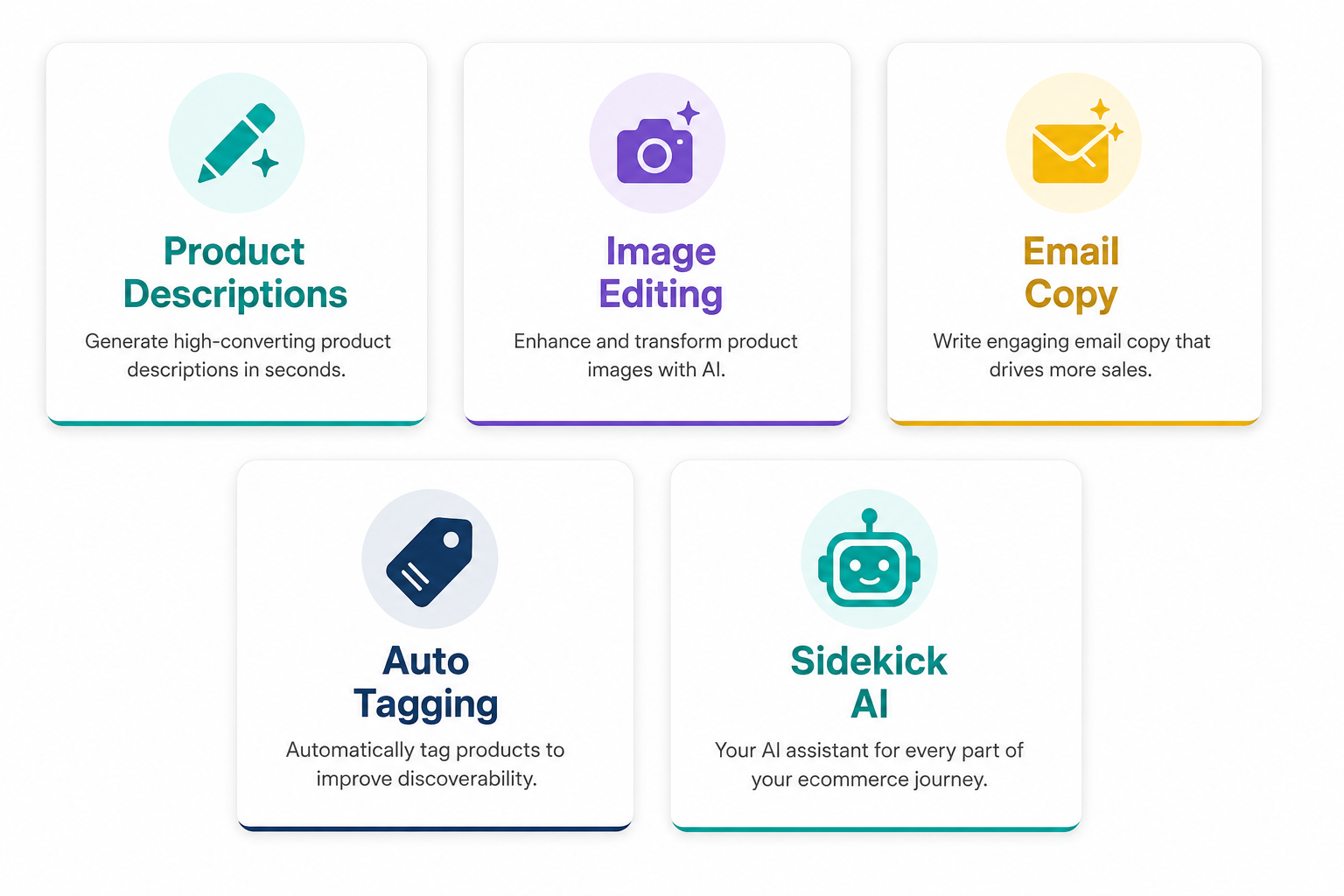
In 2026, Shopify Magic covers five core areas: content generation, image editing, email marketing, customer support, and store management. Think of it less as a single button and more as a layer of AI intelligence woven throughout your Shopify admin — appearing wherever there's a task that benefits from automation.
<cite index="27-1">All core AI tools — text generation, product description automation, image editing, customer support assistance, and more — are included. Feature availability may differ slightly by plan, but no tier requires an additional Shopify Magic subscription.</cite>
Shopify Magic Feature by Feature
AI-Generated Product Descriptions
This is where most merchants first encounter Shopify Magic, and it remains one of its most practically useful features.
<cite index="26-1">Shopify Magic helps merchants create unique product descriptions that analyze product details and highlight the main points about the products. This helps you save immense time on thinking and writing product descriptions manually.</cite>
In practice, you navigate to a product in your Shopify admin, click the Magic icon in the description field, enter a few keywords or bullet points about the product, select your preferred tone — professional, playful, persuasive — and Shopify generates a full description within seconds. You review, edit to match your brand voice, and publish.
<cite index="21-1">One merchant moved 500 SKUs from Amazon to Shopify in 3 days using Magic's bulk description generator, with estimated savings of $2,500 or more on copywriting services for initial store setup.</cite>
The content isn't always perfect out of the box — it occasionally reads slightly generic and benefits from human editing. But as a starting point for high-volume catalog work, it eliminates the blank-page problem entirely and dramatically compresses the time from product import to live listing.
AI Image Editing and Background Generation
Product photography has traditionally been one of the most expensive and time-consuming aspects of running a Shopify store. Shopify Magic changes that equation significantly.
<cite index="28-1">Shopify Magic handles image generation and editing tasks including generating product backgrounds, removing existing backgrounds, and creating lifestyle images.</cite>
<cite index="26-1">You can transform the background of your images just by using simple prompts that you want to reflect in the background.</cite> Upload a product photo on a plain white background, describe the scene you want — "wooden desk with soft morning light" or "outdoor garden setting" — and Shopify generates a lifestyle image without a photographer, studio, or editing software.
<cite index="21-1">Higher-quality product images directly correlate with higher add-to-cart rates and lower return rates.</cite> For merchants who previously couldn't afford professional product photography, this feature alone justifies exploring Shopify Magic's full toolkit.
AI Email Subject Lines and Campaign Copy
<cite index="26-1">With AI-powered insights, Shopify Magic assists in crafting personalized email campaigns, creating promotional offers to recover abandoned carts, and reaching out to more audiences.</cite>
Inside Shopify Email, the Magic AI generates subject line suggestions based on your campaign content, writes body copy for promotional emails, and helps structure abandoned cart recovery sequences. For merchants not yet using a dedicated email platform like Klaviyo, Shopify's built-in email with Magic assistance handles the fundamentals effectively.
Automated Product Tagging
<cite index="28-1">Shopify Magic includes automated product tagging, which categorizes products automatically based on attributes.</cite>
For stores with large or growing catalogs, manual tagging is one of the most tedious recurring tasks. Magic analyzes product details and assigns relevant tags automatically — improving internal search, collection organization, and the accuracy of personalized product recommendations across your store.
Theme Copy Generation
<cite index="27-1">Shopify Magic is built directly into the theme editor, allowing you to generate high-quality web copy without struggling over wording. Simply enter key details such as section titles or headings and Shopify Magic produces relevant, engaging text tailored to your store.</cite>
Homepage hero text, about page copy, promotional banners, collection page descriptions — all of these can be drafted directly inside the theme editor using Magic, without switching to an external writing tool.
Shopify Sidekick: Your AI Business Advisor Inside Admin
Sidekick is the most underused — and arguably most powerful — AI tool available to Shopify merchants in 2026.
<cite index="22-1">Sidekick knows your business. It has direct access to your Shopify data, understands commerce workflows, and takes action in your admin. Generic AI tools can't see your store or complete tasks for you.</cite>
This is the critical distinction. Sidekick isn't a general-purpose AI chatbot. It's an AI assistant that has read your store — your products, your orders, your customer data, your analytics — and can answer specific questions about your actual business.
<cite index="28-1">Sidekick can answer questions about your store data in natural language, build automations and workflows from simple descriptions, and suggest growth opportunities based on your store's performance patterns.</cite>
Practical examples of what you can ask Sidekick right now:
- "What were my top five selling products last week?"
- "Which products have the highest return rates?"
- "Create a discount code for 15% off for customers who haven't purchased in 90 days"
- "Set up a collection for all products tagged 'summer' that are currently in stock"
- "What's my average order value this month compared to last month?"
<cite index="22-1">Open your Shopify admin and click the purple glasses icon. That's it. No setup, no configuration.</cite>
<cite index="24-1">Sidekick now also surfaces proactive recommendations without being prompted</cite> — meaning it will flag potential issues or opportunities based on your store's performance data before you even think to ask.
Shopify Flow: No-Code Workflow Automation
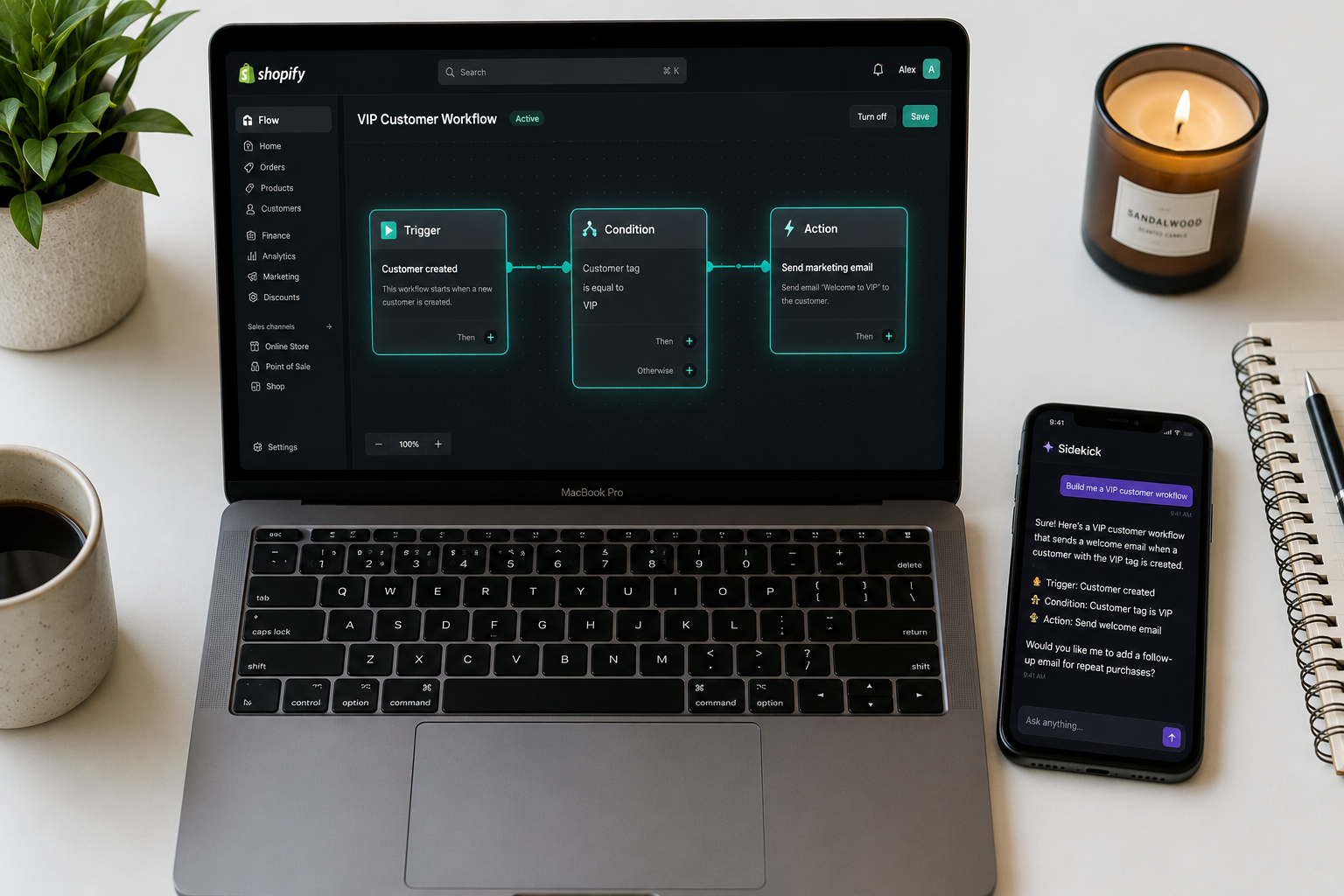
Flow is the operational backbone of a well-automated Shopify store. It allows merchants to build automated workflows — triggers, conditions, and actions — without writing any code.
<cite index="24-1">Through Sidekick, you can describe what you want in plain English and have it build the entire automation for you.</cite>
That last point is 2026-specific and genuinely significant. In previous years, building a Flow automation required understanding the trigger/condition/action structure and manually connecting the pieces. Now, you describe the workflow to Sidekick in plain language — "when a customer places their third order, send them a loyalty discount and tag them as VIP" — and Sidekick builds the automation for you.
Practical workflows that save meaningful time:
Inventory management: Automatically tag products as "low stock" when inventory drops below a threshold, pause ads for out-of-stock products, or trigger a purchase order notification to your supplier.
Customer segmentation: Automatically tag customers based on total spend, purchase frequency, or product category preferences — feeding into personalized email flows in Klaviyo.
Fraud prevention: Flag high-risk orders for manual review based on configurable risk signals before they're fulfilled.
Post-purchase operations: Trigger fulfillment notifications, review request emails, and loyalty point updates automatically based on order status changes.
Each of these workflows, once built, runs in the background permanently — eliminating manual tasks that most merchants currently perform manually every single day.
Shopify Tinker: AI Visual Creation on Mobile
<cite index="24-1">Shopify Tinker is a mobile-first AI creative studio that consolidates premium AI tools for visuals, product photos, social content, and brand assets.</cite>
For merchants who create content on their phones — which in 2026 is most of them — Tinker brings professional-grade visual creation tools into a single mobile app. Generate product photography variations, create social media assets, and produce marketing visuals directly from your smartphone without desktop software or a separate creative subscription.
Agentic Storefronts: Get Found by AI Shopping Assistants
This is the most forward-looking development in Shopify's AI toolkit — and the one most merchants have no idea exists.
<cite index="28-1">Google AI Mode integrates Shopify products into Google Search and Gemini through the Universal Commerce Protocol (UCP), co-developed by Shopify and Google and announced in January 2026. When customers use Google AI Mode, the AI surfaces product recommendations from Shopify stores. Brands like Monos, Gymshark, and Everlane already sell through this channel. The cost to merchants is free, enabled through Agentic Storefronts.</cite>
<cite index="28-1">Perplexity's "Buy with Pro" feature lets Pro subscribers purchase products with one-click checkout. Shopify merchants are automatically integrated. Microsoft Copilot Checkout is also part of the ecosystem.</cite>
<cite index="28-1">The AI tools landscape for Shopify in 2026 breaks down into three tiers. Free and essential: Shopify Magic for content, Sidekick for store management, and Agentic Storefronts for AI shopping visibility. Every Shopify store should have these activated.</cite>
In plain terms: shoppers are increasingly asking AI assistants to recommend products instead of typing queries into Google. Agentic Storefronts ensures your products appear in those AI-powered recommendations — without any additional cost or technical setup beyond enabling the feature in your Shopify admin.
The Third-Party AI Stack Worth Adding
Shopify Magic and Sidekick handle content and admin operations. For merchants who want AI working across marketing, customer support, and analytics too, these third-party tools integrate directly with Shopify and deliver documented ROI.
Klaviyo AI — Predictive segmentation, A/B testing on email flows, and behavioral triggers. <cite index="23-1">AI-driven email flows deliver 20–35% of total store revenue when Klaviyo AI flows and predictive segmentation are configured correctly.</cite>
Rebuy Engine — AI-powered product recommendations across product pages, cart, and post-purchase. <cite index="23-1">AI-powered product recommendations lift average order value by 10–20%.</cite>
Gorgias AI — AI-assisted customer support with auto-resolution for common queries. <cite index="23-1">Gorgias AI auto-responders deliver a 25–40% reduction in support ticket volume.</cite> For stores receiving high volumes of "where is my order" and return policy questions, Gorgias handles these automatically without human intervention.
Triple Whale or Northbeam — AI-driven multi-touch attribution for ad performance. <cite index="23-1">Switching from last-click attribution to AI-driven multi-touch models delivers a 15–25% reduction in wasted ad spend.</cite>
Inventory Planner — AI demand forecasting for inventory management. <cite index="23-1">AI demand forecasting delivers 20–30% fewer stockouts and overstock situations.</cite>
Tidio — AI-powered live chat and customer messaging. <cite index="28-1">High-ROI paid tools in the $10–$30 per month range include Tidio for customer service, which typically pays for itself within the first month.</cite>
How to Build Your AI Workflow: A Practical Starting Point
The goal isn't to install every AI tool available — it's to automate the tasks that are currently consuming your time and costing you money. Here's a sensible build order:
Start with what's already there. Shopify Magic and Sidekick are active on your store right now. Before adding any paid tool, spend a week using both for their core functions — Magic for all content tasks, Sidekick for data questions and admin tasks. Most merchants discover they've been manually doing things Sidekick can handle instantly.
Activate Agentic Storefronts. This takes five minutes and makes your products discoverable by AI shopping agents at zero cost. There is no reason not to do this today.
Add Flow automations for your top three manual tasks. Identify the three operational tasks you repeat most often — tagging VIP customers, managing low-stock alerts, sending post-purchase review requests — and build Flow automations for each. Use Sidekick to help build them if the interface feels unfamiliar.
Evaluate paid AI tools by revenue stage. <cite index="23-1">Small stores need three tools; mid-market stores need five; enterprise stores should run a full AI stack.</cite> For stores under $10,000 per month in revenue, Shopify Magic plus Klaviyo's free tier plus one AI customer support tool covers the majority of automation opportunity without adding significant cost.
Layer in analytics AI once your traffic justifies it. Triple Whale and Northbeam deliver their value at scale. For stores under $50,000 per month in revenue, Google Analytics 4 paired with Klaviyo's built-in attribution is sufficient.
What AI Tools Won't Do (And Why That Matters)
<cite index="29-1">While Shopify Magic is convenient, the content can sometimes feel a bit generic. You'll likely need to do some editing to make sure it fits your brand voice and doesn't sound robotic. It's more of a helpful assistant than a full-blown content strategist.</cite>
AI-generated content is a starting point, not a finished product. Product descriptions written entirely by AI without human editing tend to read similarly across different stores — which is fine for efficiency but limits brand differentiation. The merchants who get the most out of Shopify Magic use it to eliminate the blank page and reduce the time cost of content production, then apply a light editorial pass to align the output with their specific brand voice.
<cite index="26-1">Shopify says merchants are responsible for the accuracy of content published to their store, even when automatic text generation is used.</cite> AI-generated product specifications, ingredient lists, size guides, and any factual claims need to be verified before publishing — Magic doesn't have access to your supplier documentation and will occasionally generate plausible-sounding but incorrect details.
The same principle applies to Sidekick's data analysis. It's working from your Shopify data, which is only as accurate as what's been recorded. Gaps in your store's data hygiene — missing product tags, untracked customer attributes, incomplete order records — will limit what Sidekick can surface.
The Compounding Advantage of Starting Now
<cite index="24-1">2026 represents an inflection point where early AI adopters gain compounding advantages as their systems learn from months of store-specific data. Merchants who activate these AI tools now will have significantly better-trained systems compared to late adopters who wait.</cite>
Across more than 600 Shopify projects analyzed by one leading implementation partner, <cite index="23-1">fewer than 30% of mid-market stores have implemented AI beyond basic email automation. That gap is where rankings and revenue are won.</cite>
The stores building an AI-assisted operational stack today aren't just saving time on individual tasks. They're building a compounding advantage — their systems are learning from more data, their automations are more refined, and their content workflows are faster — while the majority of their competitors are still writing product descriptions manually and answering customer support questions one by one.
The tools are free to start, the learning curve is shallow, and the time savings compound every week you use them. The only question is how long you wait before you begin.
Need help setting up Shopify Magic, building Flow automations, or integrating AI tools into your existing Shopify store? Get in touch with EcomFixify — we help Shopify merchants build faster, leaner stores using the tools that actually move revenue.