
How to Use Google Trends to Find Products for Your Shopify
How to Use Google Trends to Find Winning Products for Your Shopify Store
Most Shopify sellers pick products the same way — gut feeling, copying a competitor, or jumping on something they saw go viral on TikTok. Sometimes it works. Most of the time it doesn't, and a warehouse full of inventory nobody wants is an expensive lesson to learn.
There's a smarter approach, and it's completely free.
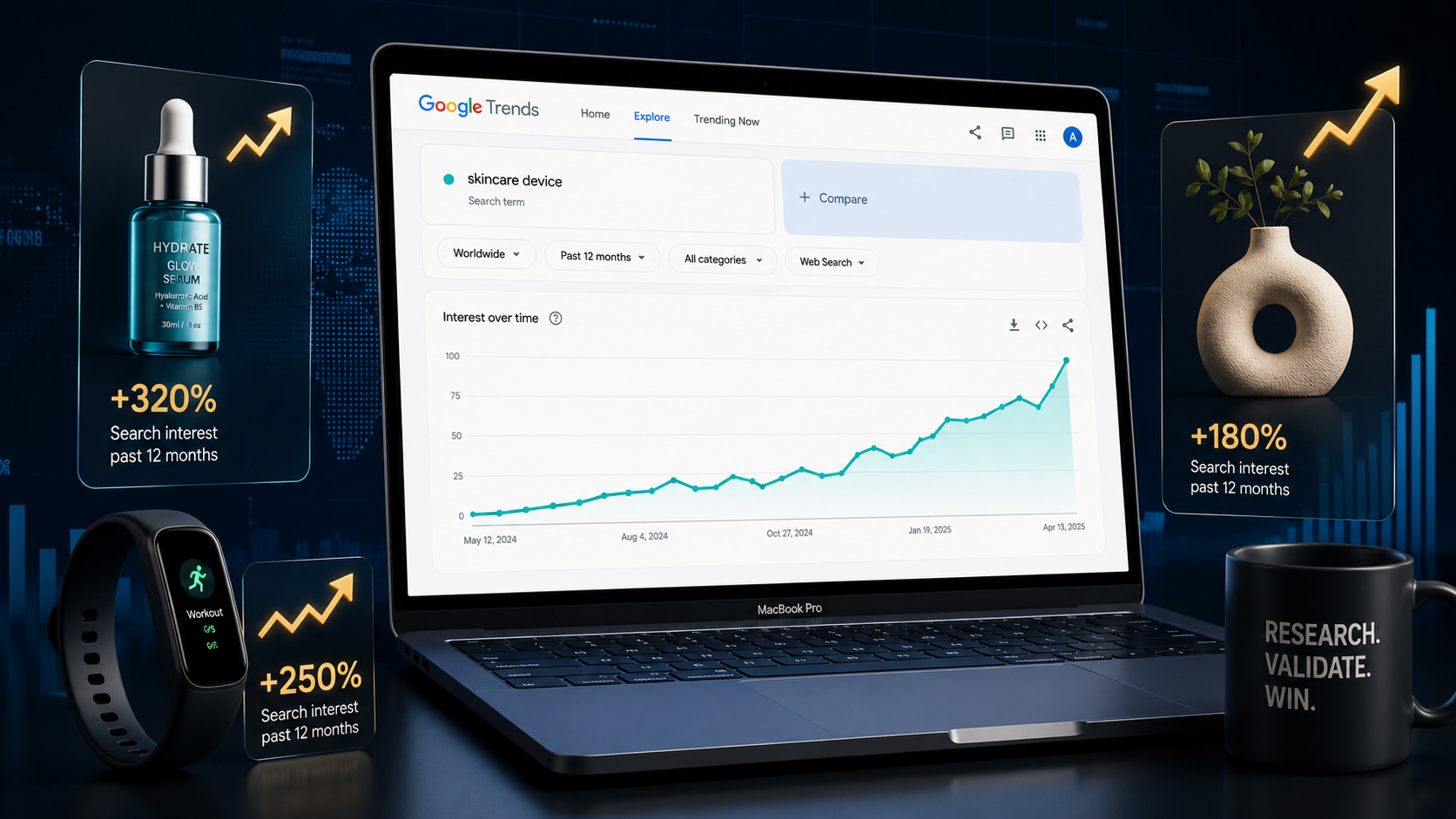
Google Trends is one of the most powerful and most underused product research tools available to ecommerce sellers today. It shows you exactly what millions of real people are actively searching for right now, how that demand is changing over time, and where in the world the interest is strongest. That's not guesswork — that's data.
Research analyzing Google search patterns for nearly 200 publicly traded US retailers found that when search volumes go up, so do revenues — often long before analysts or investors catch on. Investment strategies built around search trends outperformed traditional models by 2–3%.
If search trends can predict retail revenue quarters in advance for publicly traded companies, imagine what they can do for your product sourcing decisions.
This guide walks you through exactly how to use Google Trends for Shopify product research — from reading the data correctly to validating your findings before you commit to inventory.
What Google Trends Actually Shows You (And What It Doesn't)
Before using any tool, you need to understand what it measures — because misreading Google Trends is extremely common and leads to bad decisions.
Google Trends doesn't show absolute search volume. The 0–100 scale shows relative popularity for your selected settings — location, time range, category, and search type. A score of 100 doesn't mean 100 searches; it means the point of highest interest in that dataset. A score of 50 means the term was half as popular relative to that peak.
This is a critical distinction. A niche product can score 100 within its own limited search universe while a mass-market product scoring 60 actually represents far more absolute searches. Comparing two keywords without using the Compare feature can be misleading because each term has its own peak in isolation. A trend line is best used to judge direction, volatility, and seasonality — not exact demand.
What Google Trends is genuinely excellent at:
- Identifying direction — Is interest in this product growing, declining, or flat? - Spotting seasonality — When does demand peak and when does it drop? - Finding geographic opportunity — Where is demand strongest, and can you target those regions?
- Discovering rising queries — What related searches are exploding right now? - Comparing products — Which of two similar products has stronger momentum?
Used correctly, these five functions give you a product research edge that most of your competitors don't have.
How to Read Trend Patterns for Product Research
The search interest line trending upward over 2–5 years with moderate monthly fluctuations indicates a product category that is expanding — more potential customers are entering the market. New sellers entering this market face growing demand that can absorb additional competition. This is the ideal pattern for a product you're considering launching.
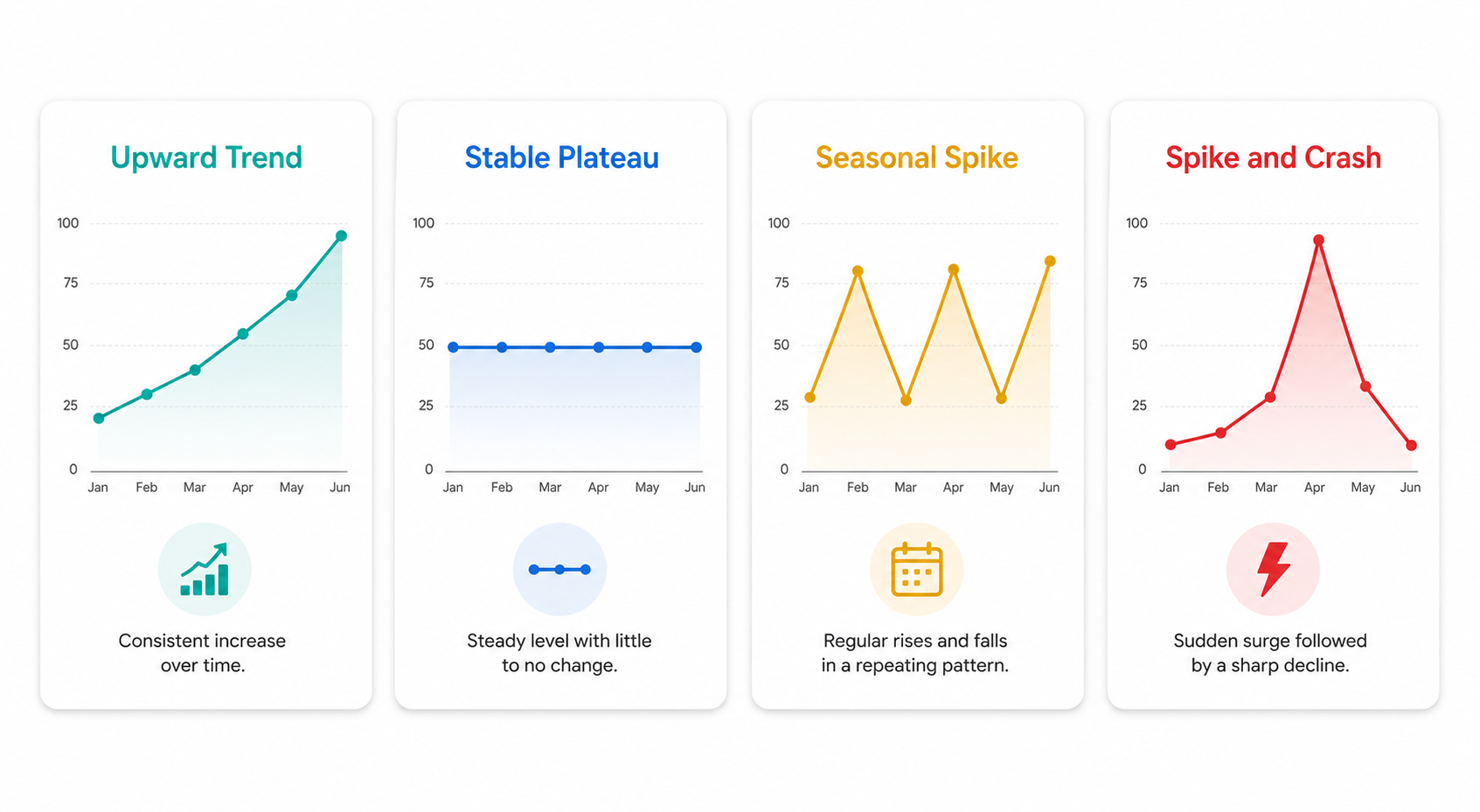
There are four trend patterns worth knowing:
Pattern 1: Consistent Upward Trend (Best for new entrants) The line climbs steadily over 2–5 years. This means the market is growing and demand isn't yet saturated. "Mushroom coffee" shows consistent upward growth from 2022 through 2026 — new sellers entering this market face growing demand that can absorb additional competition. Enter now, build brand recognition during the growth phase, and you'll have an advantage over sellers who wait until the trend is mainstream.
Pattern 2: Stable Plateau (Good for established products) Interest holds relatively flat over 2–5 years, typically between 40–70. This signals mature, reliable demand. Yoga mats show a stable plateau over five years with a slight January spike and consistent base demand. Products like these are lower-risk entries with predictable seasonality you can plan around.
Pattern 3: Seasonal Spikes (Plan your inventory accordingly) Interest surges at predictable intervals each year then drops back down. Think Christmas decorations, summer outdoor gear, or back-to-school supplies. These products can be extremely profitable if you time your sourcing and marketing correctly — and disastrous if you're sitting on inventory when the season ends.
Pattern 4: Spike and Crash (Avoid unless you can move fast) A sudden vertical climb followed by an equally sudden drop. This is usually a viral moment — a product that got featured in a major media outlet or went viral on social media. By the time most sellers notice it, the wave has already passed and margins are compressed. Avoid building a business around these patterns.
Step-by-Step: How to Use Google Trends for Shopify Product Research
Step 1: Start Broad, Then Narrow Down
Open Google Trends and enter a broad product category rather than a specific product. "Home fitness equipment" rather than "resistance bands." "Skincare" rather than "vitamin C serum." This lets you see the overall category momentum first, then drill down to find which specific products within it are gaining the most traction.
Apply the trend criteria to a list of subcategories to find the most promising option, then repeat the process with specific products. You can apply this systematic approach to any category, starting broad and progressively narrowing down to find the most in-demand product variation.
Step 2: Set Your Filters Correctly
The default settings often obscure the data you actually need. Set these before drawing any conclusions:
- Time range: Use "Past 5 years" for long-term trend direction, then switch to "Past 12 months" to assess current momentum - Geography: Set to your target market (US, UK, or whichever region your Shopify store serves) - Search type: Start with "Web Search" for broad demand, then check "Shopping" to see purchase intent specifically
Step 3: Study the "Related Queries" Section
This is where Google Trends becomes genuinely powerful for product discovery. Scroll down to the Related Queries section and switch the filter from "Top" to "Rising." These are the search terms that have grown the most in relative popularity — and they often reveal specific product variations or sub-niches that are about to explode.
Related rising queries revealed "matcha latte kit," "ceremonial grade matcha," and "matcha for beginners" growing even faster than the base term "matcha." Merchants who identified these rising sub-queries discovered specific product opportunities within a broader trend before competitors spotted them.
Look for rising queries that include buying-intent words: "best," "buy," "review," "for sale," "near me," or specific feature modifiers. These signal shoppers actively looking to purchase, not just curious browsers.
Step 4: Use the Compare Feature to Validate Product Choices
When you have two or three product candidates, use Google Trends' Compare feature to overlay their search trajectories side by side. This gives you a genuine apples-to-apples view of which product has stronger momentum and which is losing ground.
Use the Compare feature to overlay search trajectories and compare relative volumes. Among different options, the one with the highest volume and growth becomes the strongest candidate for a catalog addition.
Step 5: Analyze the Geographic Data
The Interest by Region section shows you where in the world — or within your target country — demand for a product is concentrated. This data is far more actionable than most sellers realize.
One seller testing heated blankets found that nationwide the trend looked flat. But drilling into the Interest by Region map revealed massive spikes in the Northeast and Midwest. By shifting ad budget away from warm states and doubling down on New York, Pennsylvania, and Illinois, the conversion rate tripled while cost per click stayed the same.
Use regional data to:
- Decide which geographic markets to target with paid ads first
- Customize ad creative for regional audiences
- Time product launches to match regional demand peaks
Step 6: Identify Seasonal Patterns and Plan Around Them
The graph highlights significant seasonal variations in interest, with peaks in spring and fall and dips in winter and summer for certain product categories. Aligning a product launch with these peaks in interest is crucial for maximizing early momentum.
Map your product's seasonal patterns and work backwards. If a product peaks in November, your inventory needs to be in place by October, your ads need to be running by late September, and your blog and SEO content needs to be published even earlier to rank in time.
How to Validate What Google Trends Tells You
Google Trends shows you demand signals. It doesn't confirm whether a product is profitable, sourceable, or worth competing in. Before adding any product to your Shopify store based on trend data, run it through this validation checklist.
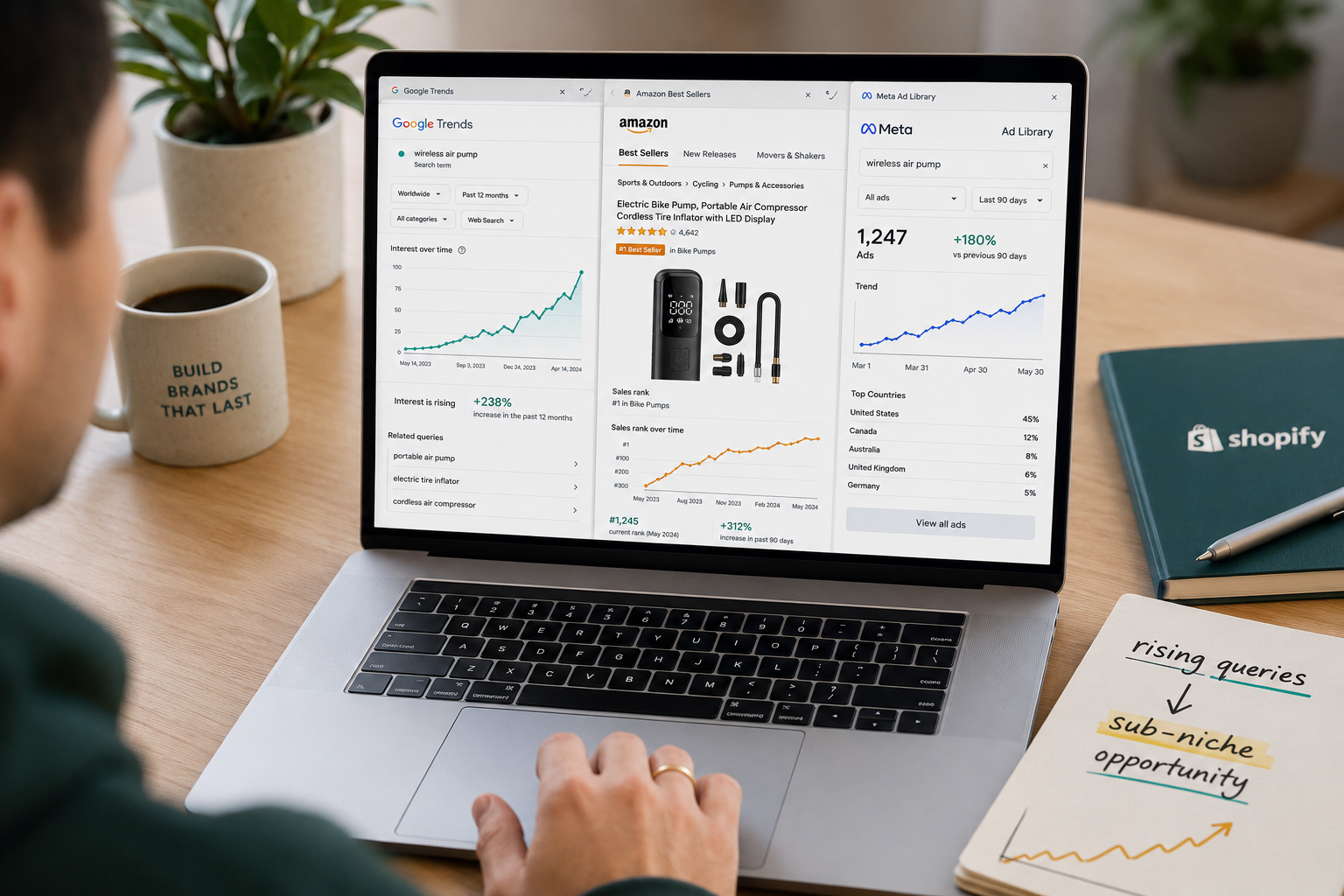
Check Amazon Best Seller Rank (BSR). Rising search interest combined with a falling BSR (getting closer to #1) in a relevant Amazon category confirms that sales are actually increasing, not just curiosity. Amazon BSR for matcha powder dropped from 5,000 to under 1,000 in its category over 18 months, confirming sales growth alongside the Google Trends signal.
Check Facebook Ad Library. Search your product in Meta's Ad Library. If multiple brands are actively running paid ads for this product, it's a signal that margins are healthy enough to support advertising. If you see zero ads, either the market doesn't exist or you've found something genuinely early.
Check TikTok Shop. Search the product on TikTok's shop tab and sort by recent. Look at review counts and how many sellers are active. A product with thousands of TikTok reviews but limited Shopify competition is a strong opportunity.
Assess the sourcing reality. This is the moment to switch from trend research to supply chain reality. You need answers to whether you can source the product quickly, what the margin looks like after shipping and platform fees, and whether a quality supplier is available at a price point that works.
Look at the trend baseline, not just the peak. If it's all spike and no baseline, be cautious. A product that went from 0 to 100 in two weeks and has no history of stable demand is almost certainly viral noise, not durable opportunity.
Finding Sub-Niche Opportunities Within Broad Trends
One of the highest-value applications of Google Trends for Shopify sellers is finding sub-niches within established trends — specific product variations that target an underserved segment while riding the momentum of a broader category.
Google Trends showed that "treadmill" has stable, mature demand. But "under desk treadmill" showed 180% growth from 2023 to 2026. Drilling further into related queries revealed "under desk treadmill for apartment" as a fast-growing sub-query — targeting a specific pain point (noise) and environment (small space) that established brands weren't directly addressing.
Competing on "treadmill" means going up against Peloton and NordicTrack. Competing on "quiet under desk treadmill for apartment dwellers" targets a specific audience the major brands have largely ignored. This is the product research strategy that actually works for independent Shopify sellers — find the gap inside the trend, not the trend itself.
To find these gaps systematically:
- Enter a broad trending category in Google Trends
- Go to Related Queries → Rising
- Look for multi-word phrases with high growth rates
- Search those phrases on Amazon and Shopify to assess existing competition
- If demand is rising and competition is thin, you've found your opportunity
Turning Trend Insights Into Your Shopify Content Strategy
Google Trends isn't just a product research tool — it's a content and SEO tool too. The rising queries section shows you exactly the language real shoppers use when they're close to purchasing. That language belongs in your product titles, descriptions, blog posts, and ad copy.
Rising queries reveal the exact language people use, which you can fold into product descriptions, blog posts, and ad copy.
If "matcha for beginners" is a rising query and you sell matcha products, that phrase belongs in a blog post, a collection page title, and your product descriptions. If "quiet under desk treadmill" is gaining traction and you stock that product, it belongs in your product title and your paid search targeting.
If a product shows steady year-over-year growth, increase ad spend. If it plateaus but has strong seasonal peaks, plan flash sales around those windows. If new rising queries appear, add those as product variants or entirely new SKUs.
This is how the most sophisticated Shopify sellers use Google Trends — not just to find one product, but as a living data feed that continuously informs their catalog decisions, marketing calendar, and content strategy.
Common Google Trends Mistakes to Avoid
Comparing terms without using the Compare feature. Searching two keywords in isolation and comparing their numbers is misleading because each has its own relative scale.
Chasing spikes without checking history. A sudden spike with no prior baseline is almost always a viral moment, not a durable trend.
Ignoring seasonality. Mistaking a seasonal peak for sustained growth is one of the most expensive inventory mistakes in ecommerce.
Stopping at trend data without validating. Google Trends confirms demand signals. It doesn't confirm margins, competition level, or supply chain viability. Always complete the full validation checklist before sourcing.
Only searching your target market. Check Interest by Region within your target country. Regional data lets you customize ad copy, shift ad budget toward high-intent areas, and plan inventory distribution more efficiently — even in dropshipping.
Final Thoughts
The difference between a Shopify seller who consistently finds winning products and one who cycles through failures isn't luck — it's process. Google Trends gives you a free, real-time window into actual consumer demand that most of your competitors aren't using systematically.
Start broad, narrow into specific product variations, study the geographic and seasonal data, validate with Amazon and ad library research, and turn the rising queries into your SEO and ad copy. Repeat that process consistently and you'll build a product catalog that's ahead of the market rather than catching up to it.
The data is there. The sellers who act on it first win.
Need help building a Shopify store optimized for trending products, or want an expert to audit your current product pages for SEO and conversion? Get in touch with EcomFixify — we specialize in Shopify development and ecommerce growth strategy.