
How to Start a Shopify Store With Zero Budget in 2026 (Step-by-Step)
The most common reason people never start their Shopify store is not a lack of ideas, products, or determination. It is the assumption that building an online store requires a significant upfront investment — a paid theme, a large product inventory, a marketing budget, a web developer, and months of preparation before anything can go live. How to Start a Shopify Store With Zero Budget
That assumption is wrong in 2026, and it is costing aspiring store owners the momentum they need to get started.
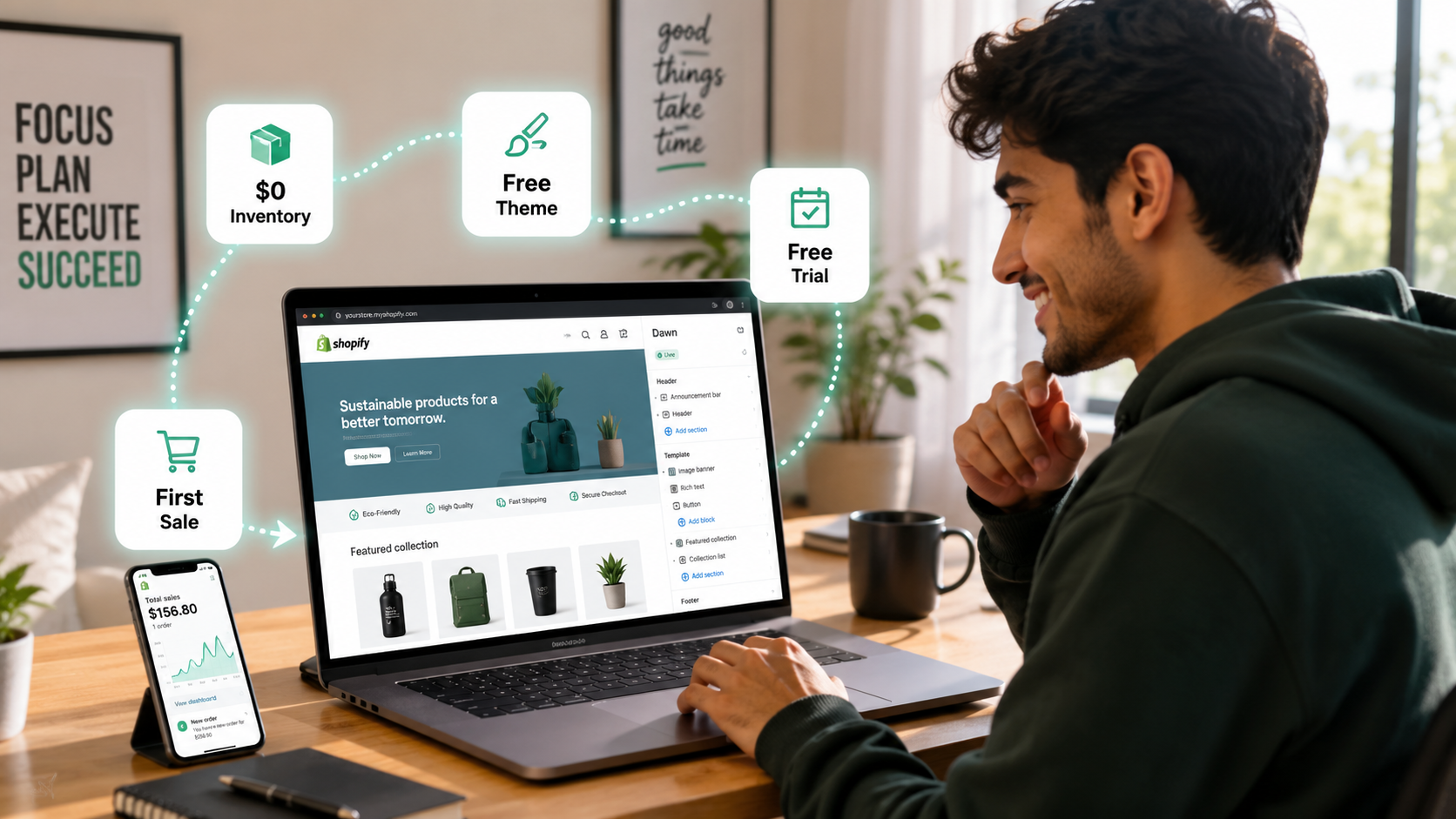
Shopify offers a free trial that lets you build, customize, and fully prepare a store before spending a single dollar. Free themes in Shopify's theme library are professionally designed, mobile-optimized, and load faster than most paid alternatives. Business models including dropshipping and print-on-demand let you sell real products to real customers without purchasing inventory in advance. And free organic marketing channels — TikTok, Instagram, Pinterest, and online communities — drive meaningful traffic to new stores without a paid advertising budget.
The honest truth is that you can launch a complete, professional Shopify store and generate your first sale for as close to zero as any legitimate business can get. This guide shows you exactly how — step by step, in the order that matters.
The Reality of Starting With Zero Budget
Zero budget does not mean zero effort. The tradeoff is always the same: the less money you spend, the more time and creative energy the same results require.
Paid ads deliver immediate traffic. Organic content takes weeks to build momentum. A premium theme saves customization time. A free theme requires more configuration effort. A virtual assistant handles tasks. Doing it yourself takes more hours.
Understanding this tradeoff prevents the frustration that stops most zero-budget starters. You are not taking the inferior path — you are taking the slower path with the same destination. The brands you admire on Shopify started somewhere. Many of them started exactly where you are.
With that framing established, here is the complete zero-budget Shopify launch process for 2026.
Step 1: Choose a Business Model That Requires No Upfront Inventory
This is the most important decision in a zero-budget launch because it determines whether you need money before your first sale or only after it.
Traditional retail requires buying inventory before selling it. Zero-budget ecommerce requires a business model where you collect payment from a customer before spending money on the product.
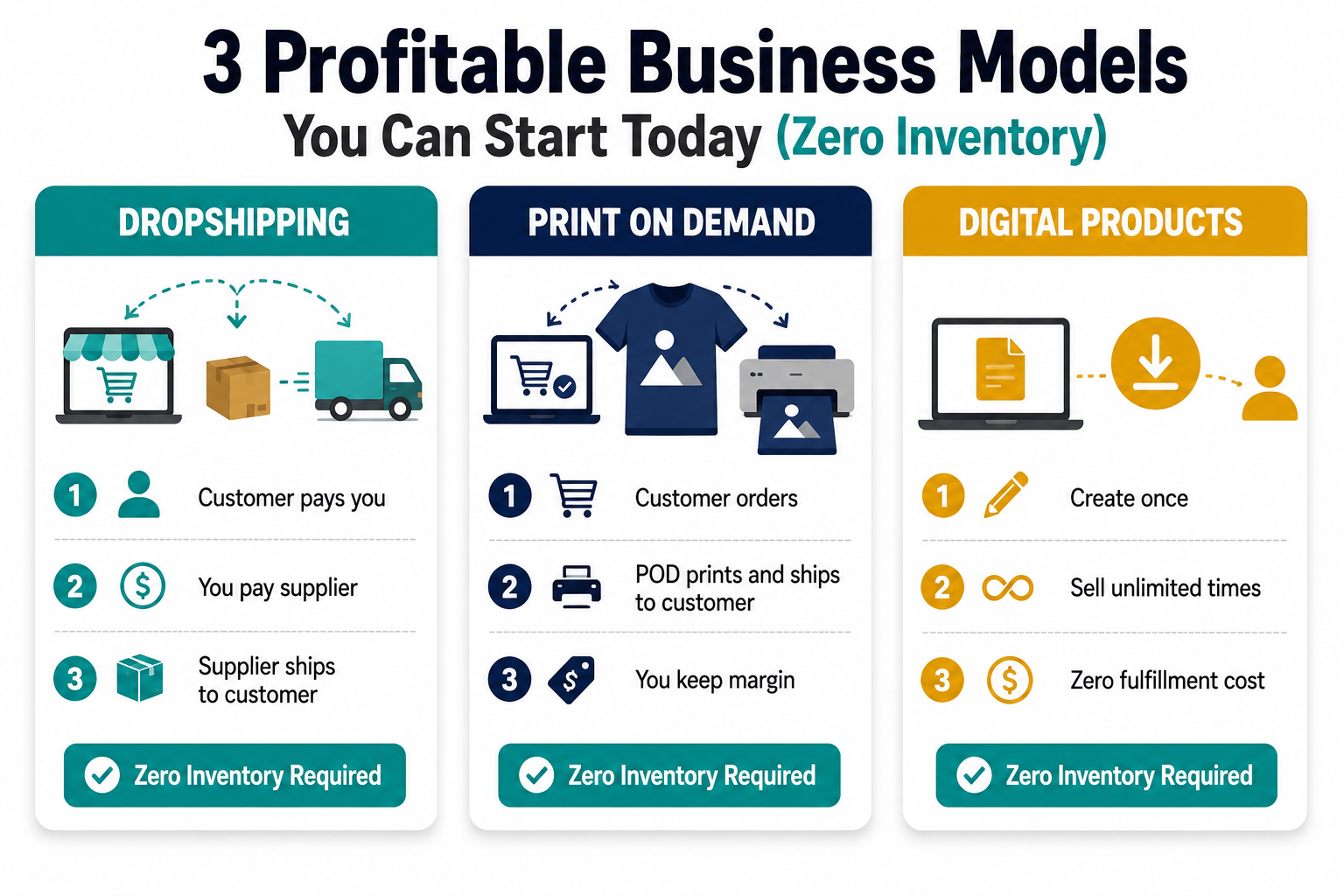
The three models that work on zero budget:
- Dropshipping is the most common zero-inventory model. A customer buys from your store, you forward the order to a supplier, the supplier ships directly to the customer. You never hold stock and you pay the supplier only after the customer has paid you. Your profit is the difference between what the customer pays you and what you pay the supplier. DSers, Zendrop, and Spocket are the leading dropshipping apps for Shopify in 2026 — all have free plans that let you import products and fulfill orders without paying a monthly fee until you are generating consistent revenue.
-
Print-on-demand works similarly. You create designs — using Canva, Adobe Express, or AI design tools, all free — and upload them to a print-on-demand platform like Printful or Printify. When a customer orders a t-shirt, hoodie, mug, or phone case with your design, the print-on-demand platform prints and ships it. You pay the production cost from the customer's payment. Printful and Printify both integrate natively with Shopify and have free tiers with no monthly fee.
-
Digital products are the most margin-friendly zero-budget model. Ebooks, templates, presets, courses, planners, design files, and similar products cost nothing to produce beyond your time — and once created, they can be sold unlimited times with no additional cost. Shopify handles digital product delivery automatically when a customer purchases. If you have a skill, knowledge, or creative ability that others would pay to access, digital products are the fastest path from zero budget to profit.
Step 2: Find Your Niche and Validate Demand Before Building Anything
The most expensive mistake in ecommerce — at any budget level — is building a store for products nobody wants to buy. Validating demand before investing setup time is the most important discipline a zero-budget founder can practice.
Niche selection criteria that work in 2026: the niche should have an identifiable and reachable audience, genuine search and social media demand, products priced between $25 and $150 (enough margin, not so expensive it kills impulse purchase behavior), and enough depth for ongoing content creation.
The free validation tools available to every aspiring Shopify merchant:
- Google Trends — type in your product category and check whether interest is growing, stable, or declining. A growing trend line with consistent baseline demand is the ideal signal. A sharp spike followed by a crash suggests a viral moment that has passed. Stable demand with seasonal peaks suggests a reliable market with predictable timing.
- TikTok search — search your product on TikTok and sort by views. Products with multiple videos generating over 100,000 views have validated social demand. Look at the comment sections — comments asking "where can I get this?" or "what is this called?" are explicit demand signals from people who want to buy.
- Amazon Best Sellers and Movers and Shakers — these lists update hourly and show what is actually selling right now. A product ranking in the top 1,000 in its category on Amazon has confirmed purchase demand.
- Reddit and Facebook groups — search for communities built around your niche. Groups with tens of thousands of members who actively discuss products, ask for recommendations, and share purchases confirm that a passionate audience exists. These communities will become your first marketing channel.
You are looking for the intersection of three signals: growing search interest on Google Trends, visible social engagement on TikTok, and confirmed purchase behavior on Amazon. When all three point at the same niche, you have your starting point.
Step 3: Create Your Shopify Account and Use the Free Trial
Go to Shopify.com and click Start Free Trial. You will be asked for a store name — choose something that reflects your niche without being too specific. You can change your store display name later, but your myshopify.com subdomain is permanent, so choose something clean.
The free trial gives you full access to Shopify's admin — you can build your entire store, add products, customize your theme, write your policies, and set up payments before spending anything. The trial is genuinely useful for zero-budget founders because it lets you get everything right before the clock on any paid plan starts running.
During the trial, if you encounter Shopify's promotional offer of $1 per month for the first three months — which Shopify runs regularly — take it. Three months for $3 is the most accessible paid plan available and gives you enough runway to generate revenue before committing to the standard monthly pricing.
When the trial ends, the Basic plan at $39 per month (or local equivalent) is the right starting point for new stores. It includes unlimited products, abandoned cart recovery emails, discount codes, and Shopify Payments — everything you need to run a legitimate ecommerce operation from day one.
Step 4: Choose a Free Theme That Works
The most important thing to understand about themes on Shopify in 2026 is that free themes are genuinely good. Dawn — Shopify's default free theme, updated continuously by Shopify's own design team — loads faster than most premium themes, scores consistently well on Core Web Vitals, is built for Online Store 2.0 with full section and block customization, and looks professional without any customization at all.
The temptation to buy a premium theme when starting a store is almost always premature. A beautiful store with zero traffic generates zero revenue. A functional free theme with great products and strong marketing generates sales immediately. Design improvements are high-ROI at scale — they are premature optimization at launch.
The free themes worth considering in 2026 are Dawn for a clean, minimalist layout that works for almost any product category; Craft for stores with a handmade, artisanal, or sustainable brand aesthetic; Refresh for health, wellness, and lifestyle brands; and Sense for beauty and personal care products. All four are available in the Shopify Theme Store at no cost.
Spend no more than one to two hours customizing your theme before moving to the next step. Upload your logo, set your brand colors, configure your navigation menu, and add a homepage hero section with your best product image. That is enough for launch. Additional design refinement belongs after your first sale, not before it.
Step 5: Add Your First Products
For dropshipping stores, install DSers (free), connect it to your AliExpress account, and import products in your niche directly to your Shopify store. DSers imports the product title, images, variants, and pricing automatically. You will need to rewrite the product description in your own words — not because of copyright, but because the original supplier descriptions are typically written in broken English and optimized for nothing.
For print-on-demand stores, install Printful or Printify (both free), create your designs in Canva or Adobe Express, apply them to the product mockups, and publish to your Shopify store. The platform generates professional product photography automatically — your design shown on a real product in lifestyle settings — which you can use as your product images without a photo shoot.
For digital products, create your file, upload it to Shopify as a digital product, and configure automatic delivery through Shopify's digital downloads functionality (free). When a customer purchases, they receive a download link automatically — no manual fulfillment required.
Product page quality matters more than the number of products. Start with five to ten products rather than importing hundreds. Write benefit-driven descriptions for each one, use the best available images, and add a clear call to action. A store with ten well-presented products consistently outperforms a store with 500 poorly described ones.
Step 6: Configure Payments and Shipping
Shopify Payments is the default payment processor for Shopify stores and requires no monthly fee — Shopify earns a small percentage on each transaction. For merchants in countries where Shopify Payments is available (US, UK, Canada, Australia, and most of Europe), this is the simplest setup: go to Settings → Payments, enable Shopify Payments, and complete the brief identity verification process.
If Shopify Payments is not available in your country — including Pakistan and several other markets — use Stripe as your primary processor if it is available, and add PayPal as a secondary option. Both integrate natively with Shopify. Always offer at least two payment methods at checkout to prevent losing sales from customers who do not have or do not trust a specific payment option.
For shipping configuration, go to Settings → Shipping and Delivery. For dropshipping, your supplier handles fulfillment and shipping — configure your Shopify shipping zones to match the countries your supplier ships to and set your shipping rates to cover what the supplier charges you. For print-on-demand, Printful and Printify handle shipping rate calculation automatically through their Shopify integration.
If you are selling in markets with duties and taxes — particularly the EU, UK, and Australia — enable tax-inclusive pricing for those markets so customers see the full landed cost before checkout. Hidden costs revealed at the payment step are the most common cause of cart abandonment for international orders.
Step 7: Build Your Store's Essential Pages
Before launching, four pages need to exist on your Shopify store. They are non-negotiable for customer trust and in some markets for legal compliance.
About page — who you are, what your store is about, and why customers should trust buying from you. This does not need to be long. Three to four paragraphs that humanize the brand and communicate your product focus is sufficient. Stores with an About page convert at higher rates than those without because they signal a real business rather than a temporary reseller.
Contact page — a contact form or at minimum a visible email address. Customers who cannot find a way to contact you before or after purchase are less likely to buy and less likely to return. Shopify's native Contact page template handles this with no additional apps required.
Shipping policy — when orders will be dispatched, estimated delivery times for your key markets, and what happens if a package is delayed or lost. For dropshipping, be honest about delivery timeframes — if your supplier ships from China with 10 to 21 day delivery, state that clearly. Customers who receive products faster than expected leave positive reviews. Customers who expected delivery in three days and received it in 18 days leave negative ones.
Return and refund policy — your terms for returns, exchanges, and refunds. Shopify provides a free return policy generator in your admin that produces a legally reasonable template. Customize it to match your actual return process and your supplier's policies.
Step 8: Drive Your First Traffic for Free
A store with no visitors generates no sales. The zero-budget traffic strategies that actually work in 2026:
Your warm audience first. Before any marketing campaign, tell the people who already know and trust you. Post about your store on your personal social media accounts. Send messages directly to friends and contacts who might be interested. Offer a launch discount exclusively to your personal network. The fastest path to a first sale is almost always a warm audience, and every zero-budget founder has one — it is just not a platform audience yet.
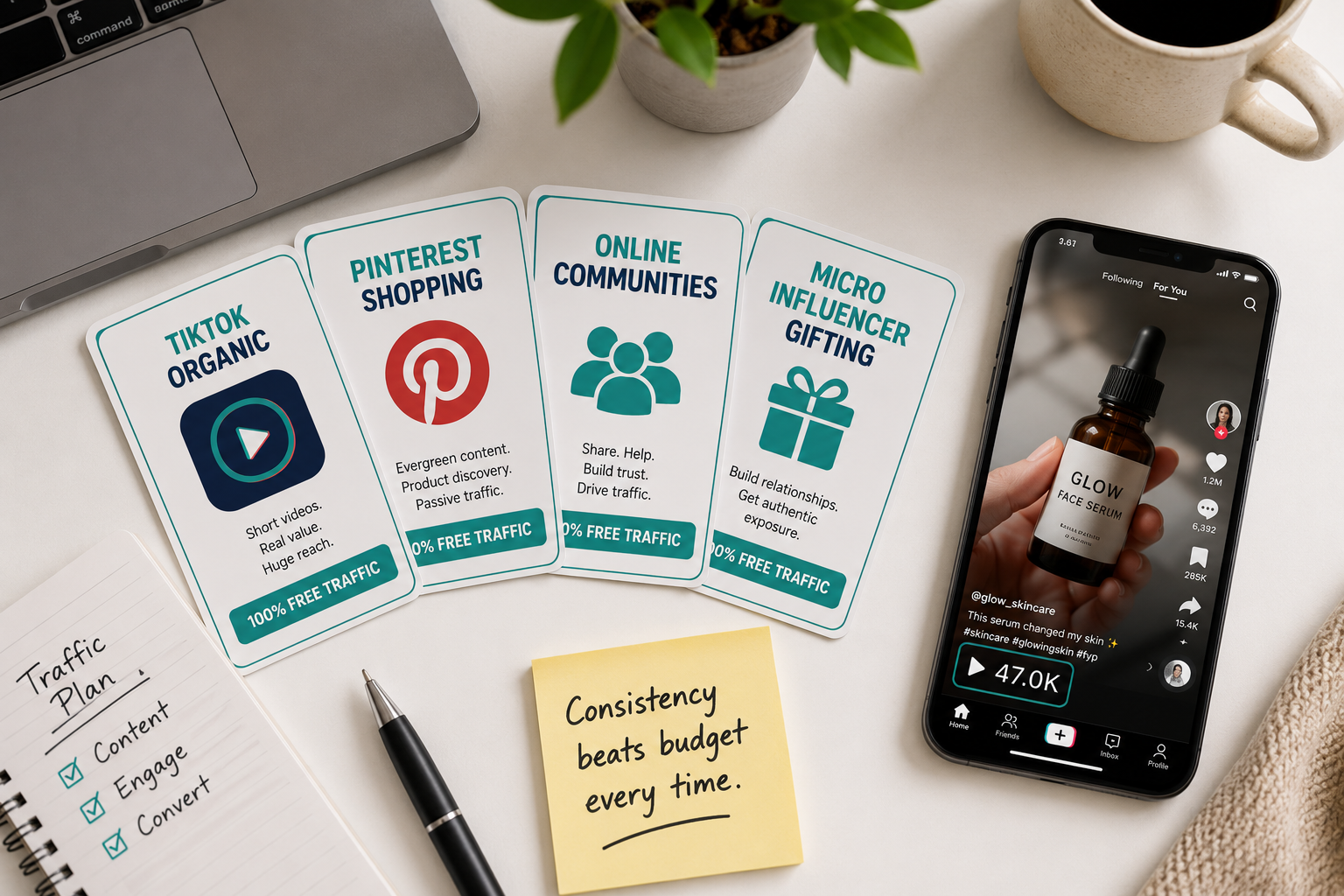
TikTok organic content. TikTok's algorithm surfaces content to users who are not following you — which makes it the highest-reach free marketing channel available to a brand-new store with zero followers. The content that works for new ecommerce brands on TikTok is authentic and product-focused: unboxing videos, product demonstrations, before-and-after results, behind-the-scenes content showing how your store works. Post consistently — at least three to five times per week — and engage with comments on every video.
Pinterest for search-driven traffic. Pinterest drives more ecommerce referral traffic than any social platform relative to its audience size. Shoppers on Pinterest are actively looking for products and ideas to buy — the intent is significantly higher than general social media browsing. Create a Pinterest business account, install the Shopify Pinterest app, and enable Rich Pins so your product listings appear as shoppable pins automatically.
Online communities. Find the Reddit subreddits, Facebook groups, and forums where your target customers already spend time. Do not join and immediately post your store link — contribute genuinely for one to two weeks before mentioning your products. Community members who see you adding value first are receptive to hearing about what you sell. Those who see you as a link-dropper will get you banned and generate zero traffic.
Micro-influencer product gifting. Influencers with 1,000 to 10,000 followers in your niche often promote products in exchange for free samples — especially when they genuinely like the product. For a dropshipping store with a $20 cost of goods, sending five samples to five relevant micro-influencers costs $100 and can generate multiple pieces of authentic content reaching thousands of engaged potential customers. This is a genuine zero-cash strategy for print-on-demand (send a free item at production cost) and a very-low-cash strategy for dropshipping.
Step 9: Install Only the Free Apps You Actually Need
The Shopify App Store contains thousands of apps — and the temptation to install ten of them before your first sale is one of the most common zero-budget mistakes. Every installed app adds JavaScript to your store's pages, slowing load times and potentially hurting your conversion rate.
The free apps that deliver real value at launch:
DSers, Printful, or Printify — your product sourcing and fulfillment tool. Already covered in Step 5.
Judge.me — a free review collection app that automatically emails customers after purchase requesting a review and displays those reviews on your product pages. Social proof is the most powerful trust signal for a new store with no brand recognition.
Klaviyo — free for up to 500 subscribers and 150 emails per month. Configure an abandoned cart email on day one. This single automation recovers a percentage of every cart abandonment event and generates revenue while you sleep.
Shopify's built-in email — for stores not yet ready to set up Klaviyo, Shopify Email is included in all plans and allows basic abandoned cart and welcome email setup at zero additional cost.
That is it for launch. Resist the urge to install loyalty apps, upsell apps, countdown timer apps, or analytics dashboards until you are generating consistent revenue. Each of those tools adds value at scale — they add complexity and speed drag at zero.
Step 10: Get Your First Sale and Build From There
Your first sale is not a revenue event — it is a proof of concept. It proves that someone found your store, trusted your product presentation, and chose to give you their money. That validation is worth more than the revenue itself because it tells you that the foundation is working.
After your first sale, the optimization process begins. Request a review from that customer. Ask them how they found the store. Check which page they landed on and what path they took to checkout. Use that data to improve every subsequent customer's experience.
Every week after launch, spend time on three activities: creating new content for your primary organic channel, reviewing your Shopify analytics to understand where visitors are coming from and where they are leaving, and improving one element of your store based on what the data shows.
The zero-budget launch gets you to your first sale. Consistent organic content, systematic store optimization, and reinvesting early revenue into your first paid experiments — a small Meta or TikTok budget funded by your store's own revenue — gets you to consistent growth.
How Much Does It Actually Cost to Start?
Being fully honest about the true cost of a zero-budget Shopify launch in 2026:
Shopify free trial — $0. Build your entire store without paying anything.
After the trial, Shopify Basic plan — $39 per month or the $1 per month promotional rate for the first three months if available.
Custom domain — $14 per year through Shopify Domains or $10 to $12 per year through Namecheap or Google Domains. Not strictly required to launch — your store works on the free myshopify.com subdomain — but a custom domain significantly improves customer trust and brand perception.
Product sourcing — $0 for dropshipping and print-on-demand until your first sale. You pay suppliers from customer revenue.
Marketing — $0 for organic content, community participation, and influencer gifting at the micro level.
Total minimum monthly cost after free trial ends: $39 for the Shopify plan plus approximately $1 for the domain prorated monthly. Just over $40 per month is the real floor for a properly set up Shopify store in 2026.
Everything above that — premium themes, paid apps, paid advertising, custom development — is optional, beneficial at the right stage, and fundable from your store's own revenue once it is generating consistent sales.
The Mistakes That Kill Zero-Budget Stores in the First 90 Days
Perfecting the store before marketing it. The store will never be perfect. A good-enough store with active marketing generates sales. A perfect store with no visitors generates nothing. Set a launch date, hit it, and improve from real customer data rather than from assumptions.
Choosing a niche you are interested in rather than one with validated demand. Your passion for a product does not predict customer demand for it. Validate with data before building — the validation process in Step 2 takes less than two hours and saves months of wasted effort.
Installing too many apps too early. Every app has a cost in page speed, complexity, and monthly fees once free tiers are exceeded. Start minimal, add deliberately, and always measure whether each app is generating more revenue than it costs.
Giving up after two weeks. Zero-budget organic marketing takes time to compound. TikTok content builds audience over months. Pinterest drives traffic as pins accumulate. SEO takes three to six months to show meaningful results. The merchants who succeed with zero-budget launches are not the ones who found a magic shortcut — they are the ones who stayed consistent long enough for the compounding to start working.
Spending on paid ads before proving organic conversion. Running paid ads to a store that has not yet proven it can convert organic traffic is expensive education. Prove your product page converts by generating organic sales first, then use paid ads to scale what is already working.
Final Thoughts
Starting a Shopify store with zero budget in 2026 is genuinely possible — not as a theoretical exercise but as a practical path that thousands of merchants have walked successfully. The tools are free, the business models are zero-inventory, and the marketing channels are accessible to anyone with a smartphone and the willingness to create content.
What separates the stores that succeed from the ones that stall is not budget. It is the discipline to validate before building, the consistency to create content before it is working, and the patience to let organic channels compound over the weeks and months it takes to generate momentum.
The store you could have launched last month is already six weeks behind the compounding curve. The store you launch this week is six weeks ahead of the one you launch next month.
Start with the free trial. Pick one niche. Choose one business model. Build the minimum viable store. Create content every day. Request indexing for every page you publish. And measure everything from the first sale onward.
The rest is iteration.
Need help setting up your Shopify store correctly from day one, or want an expert to review your store before you launch? Get in touch with EcomFixify — we specialize in Shopify development and ecommerce strategy for brands at every stage.