

10 Shopify Speed Optimization Mistakes That Hurt Conversions
10 Shopify Speed Optimization Mistakes
In the world of eCommerce, speed is money. Every second your Shopify store takes to load can directly impact user experience, search engine rankings, and most importantly, conversions. Studies consistently show that slow-loading websites experience higher bounce rates, lower engagement, and fewer sales.
Many Shopify merchants invest heavily in advertising, SEO, and social media marketing but overlook one critical factor: website performance. Even the most attractive online store can struggle to generate revenue if customers become frustrated waiting for pages to load.
The good news is that most Shopify speed issues are preventable. By identifying and fixing common performance mistakes, store owners can improve page load times, enhance customer experience, and increase conversion rates.
In this guide, we'll explore the 10 most common Shopify speed optimization mistakes that hurt conversions and show you how to fix them.
Why Shopify Speed Matters for Conversions
Before diving into the mistakes, it's important to understand why speed optimization should be a priority.
A fast Shopify store offers several benefits:
- Better user experience
- Lower bounce rates
- Higher conversion rates
- Improved mobile shopping experience
- Better search engine rankings
- Increased customer satisfaction
- Higher average order values
When customers encounter delays, they often leave before viewing products or completing a purchase. In a competitive eCommerce landscape, shoppers have countless alternatives available with just one click.
Mistake 1: Uploading Unoptimized Images
Images are often the largest files on a Shopify store and one of the biggest causes of slow page load times.
The Problem
Many merchants upload high-resolution images directly from professional cameras or design software without optimization. While these images look great, they can significantly increase page weight.
A product image that should be 200 KB may end up being 5 MB or larger.
How It Hurts Conversions
Slow-loading product pages create friction during the buying process. Customers may abandon the page before viewing your products.
How to Fix It
- Compress images before uploading.
- Use modern image formats such as WebP.
- Resize images according to display requirements.
- Avoid uploading oversized banner images.
Regularly audit your media library and remove unnecessary large files.
Mistake 2: Installing Too Many Shopify Apps
Apps add functionality to your Shopify store, but they can also add unnecessary code and scripts.
The Problem
Many merchants install multiple apps for features that overlap or are rarely used.
Each app may introduce:
- JavaScript files
- CSS files
- Tracking scripts
- Third-party requests
These additional resources can slow down page rendering.
How It Hurts Conversions
Customers experience delayed interactions, slower product page loading, and checkout friction.
How to Fix It
Conduct quarterly app audits.
Ask yourself:
- Is the app still necessary?
- Does Shopify offer native functionality now?
- Are multiple apps solving the same problem?
Remove unused apps and clean leftover code after uninstalling them.
Mistake 3: Choosing a Heavy Theme
Not all Shopify themes are built with performance in mind.
The Problem
Some themes prioritize visual effects and complex animations over speed.
Common performance issues include:
- Large JavaScript bundles
- Excessive animations
- Unoptimized code structures
- Numerous third-party integrations
- How It Hurts Conversions
Customers may become frustrated if homepage content takes too long to appear.
How to Fix It
Choose lightweight, performance-focused themes.
When selecting a theme:
- Test demo performance
- Review Core Web Vitals
- Evaluate mobile speed
- Avoid unnecessary visual effects
A clean, fast theme often converts better than a flashy but slow one.
Mistake 4: Ignoring Mobile Performance
Most Shopify traffic now comes from mobile devices.
The Problem
Many store owners optimize for desktop while neglecting mobile users.
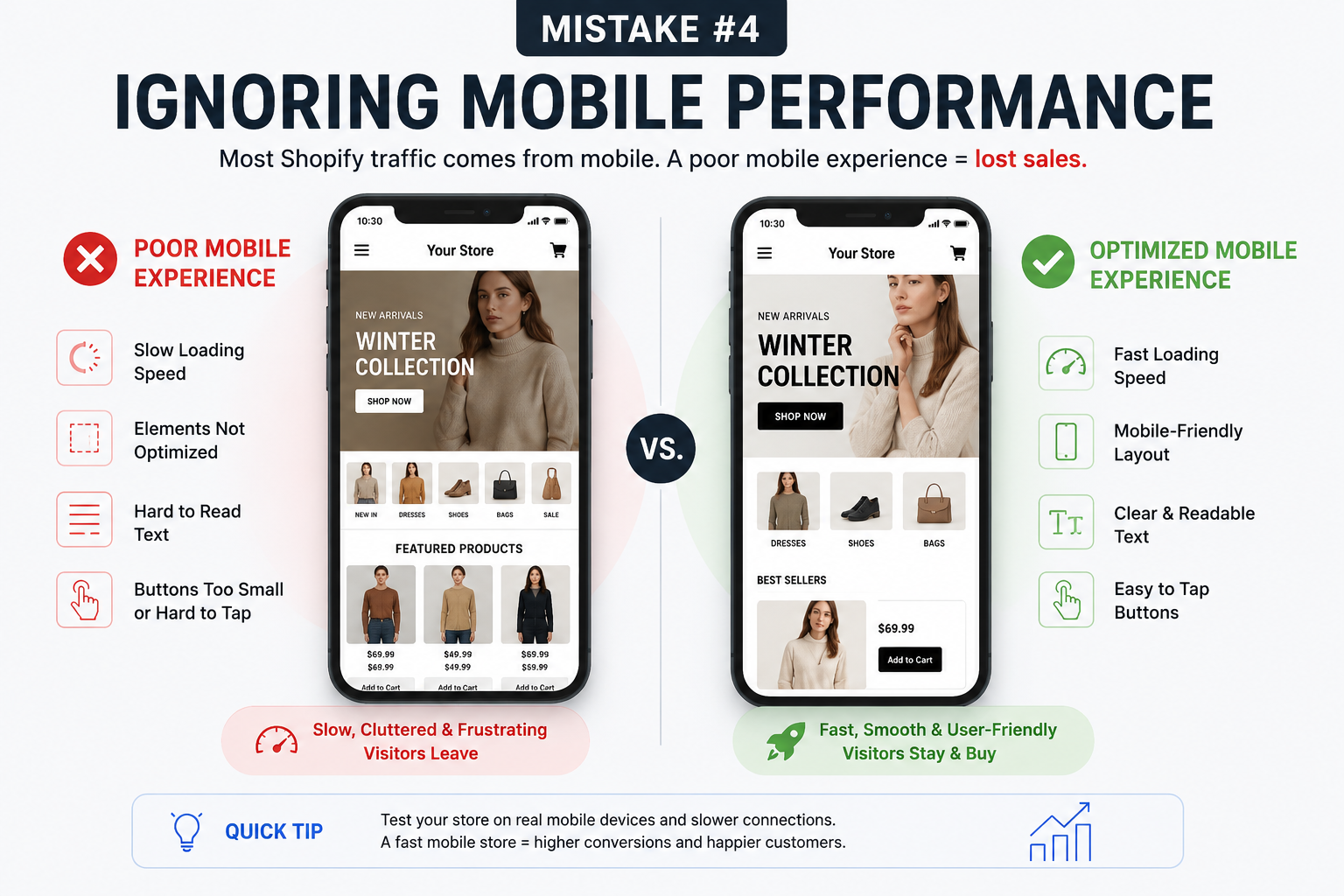
Mobile devices typically have:
- Slower internet connections
- Less processing power
- Smaller screens
Performance issues become more noticeable on smartphones.
How It Hurts Conversions
A slow mobile experience can dramatically reduce sales.
Shoppers expect pages to load quickly regardless of device.
How to Fix It
Focus on mobile-first optimization.
Test your store regularly on:
- iPhone devices
- Android devices
- Various network speeds
Optimize images, scripts, and layouts specifically for mobile performance.
Mistake 5: Using Excessive Third-Party Scripts
Marketing tools often require tracking scripts.
The Problem
Stores commonly add:
- Analytics tools
- Chat widgets
- Heatmap software
- Advertising pixels
- Customer support tools
Each script introduces additional requests and processing time.
How It Hurts Conversions
Too many scripts can delay page interactivity and slow checkout experiences.
How to Fix It
Review all third-party integrations.
Remove tools that are:
- Redundant
- Inactive
- Providing little business value
Load scripts only when necessary and defer non-essential resources.
Mistake 6: Not Optimizing Homepage Content
Your homepage often receives the most traffic.
The Problem
Many merchants overload the homepage with:
- Large videos
- Multiple sliders
- Numerous product sections
- Social media feeds
- Excessive animations
While visually appealing, these elements can hurt performance.
How It Hurts Conversions
Visitors may leave before your value proposition loads.
First impressions matter.
How to Fix It
Simplify homepage design.
Focus on:
- Clear messaging
- Fast-loading content
- Strategic product highlights
- Minimal distractions
A streamlined homepage usually performs better than a cluttered one.
Mistake 7: Failing to Minimize Custom Code
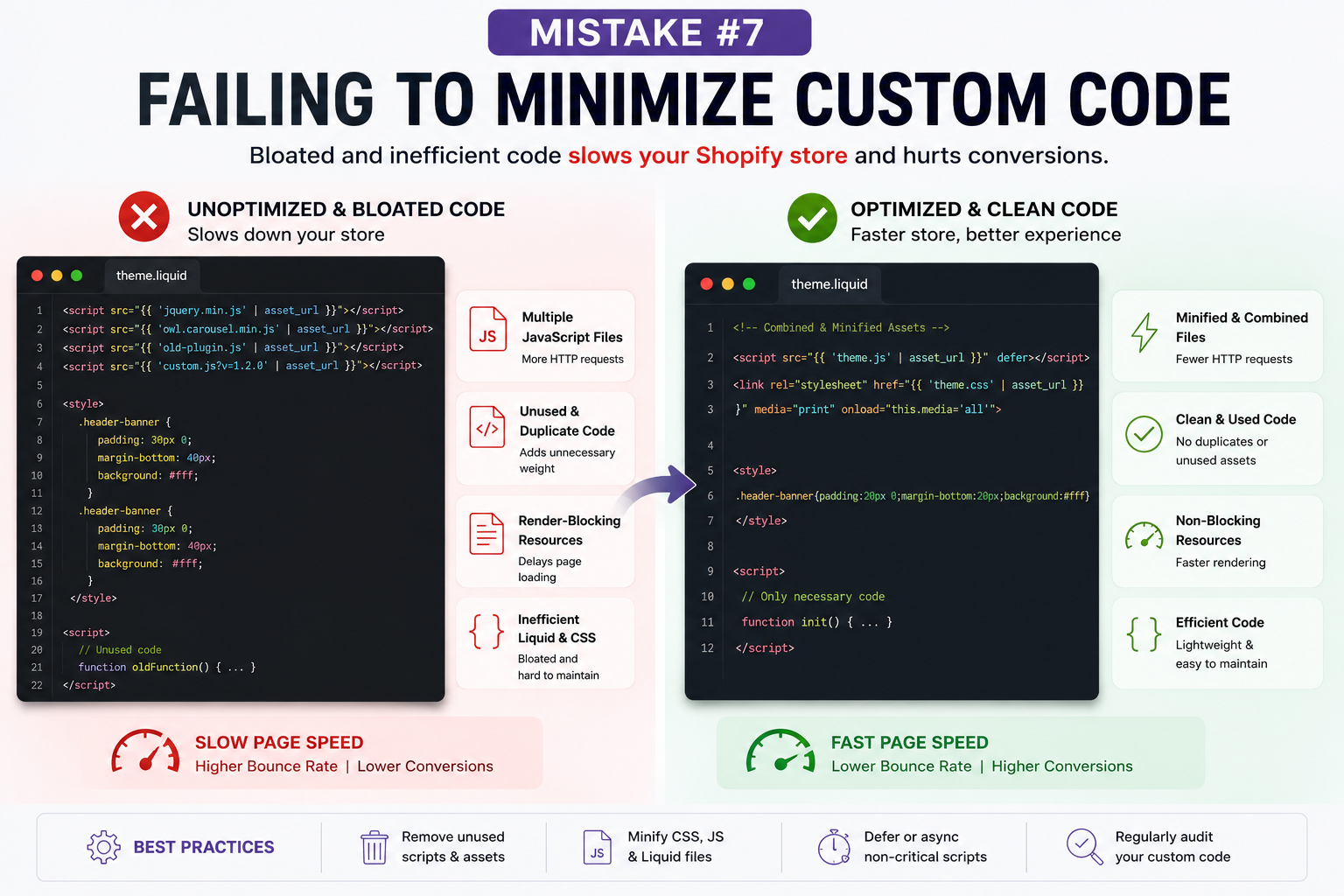
Custom development can enhance functionality, but poor coding practices create performance issues.
The Problem
Common issues include:
- Unused JavaScript
- Duplicate code
- Render-blocking scripts
- Inefficient Liquid templates
Over time, customizations accumulate and slow the store.
How It Hurts Conversions
Performance degradation becomes noticeable as pages become more complex.
How to Fix It
Regularly audit custom code.
Developers should:
- Remove unused assets
- Minify files
- Optimize Liquid templates
- Consolidate scripts where possible
Clean code contributes significantly to faster load times.
Mistake 8: Ignoring Shopify Core Web Vitals
Core Web Vitals are Google's key performance metrics.
The Problem
Many merchants never monitor these important indicators.
The primary metrics include:
Largest Contentful Paint (LCP)
Measures loading performance.
Interaction to Next Paint (INP)
Measures responsiveness.
Cumulative Layout Shift (CLS)
Measures visual stability.
Poor scores often indicate underlying performance issues.
How It Hurts Conversions
Visitors may experience delayed interactions, shifting layouts, and slow content loading.
How to Fix It
Monitor performance regularly using:
Google PageSpeed Insights
Google Search Console
Shopify performance reports
Address issues proactively before they affect customers.
Mistake 9: Using Auto-Play Videos Everywhere
Video content can boost engagement when used strategically.
The Problem
Many stores use:
Auto-play hero videos Background videos Multiple embedded videos
Videos consume substantial bandwidth and processing power.
How It Hurts Conversions
Visitors may experience slower page loads, especially on mobile devices.
How to Fix It
Use videos selectively.
Best practices include:
Compress video files Avoid unnecessary auto-play Use static image fallbacks Host videos efficiently
Only use video where it adds meaningful value.
Mistake 10: Neglecting Regular Performance Audits
Speed optimization is not a one-time task.
The Problem
Stores evolve constantly.
New additions often include:
Apps Products Themes Scripts Marketing tools
Without monitoring, performance gradually declines.
How It Hurts Conversions
Slowdowns accumulate over time and negatively impact user experience.
How to Fix It
Schedule regular speed audits.
Monthly reviews should include:
App evaluation Script analysis Image optimization Core Web Vitals monitoring Mobile testing
Ongoing maintenance keeps your store competitive.
Shopify Speed Optimization Best Practices
Beyond avoiding these mistakes, follow these proven best practices:
Optimize Images
Compress all images before uploading.
Reduce App Usage
Install only essential applications.
Choose Performance-Focused Themes
Prioritize speed over excessive visual effects.
Monitor Core Web Vitals
Track performance metrics consistently.
Improve Mobile Experience
Design and test with mobile users in mind.
Clean Up Code
Remove unused scripts and assets regularly.
Limit Third-Party Requests
Only use integrations that deliver measurable value.
Perform Routine Audits
Identify and resolve issues before they affect customers.
How Faster Shopify Stores Increase Revenue
Speed optimization impacts every stage of the customer journey.
Faster stores typically achieve:
Higher product page engagement Lower bounce rates Improved add-to-cart rates Better checkout completion rates Stronger SEO performance Increased customer retention
Even small performance improvements can produce meaningful gains in revenue over time.
For growing Shopify businesses, speed optimization often delivers one of the highest returns on investment compared to other marketing initiatives.
Conclusion
Shopify speed optimization is more than a technical task—it's a conversion optimization strategy. Every unnecessary script, oversized image, or poorly optimized feature creates friction that can cost sales.
By avoiding these 10 common Shopify speed optimization mistakes, you can create a faster, smoother shopping experience that encourages visitors to stay longer, engage more deeply, and complete their purchases.
Start by auditing your store today. Remove unnecessary apps, optimize your images, evaluate your theme performance, and monitor Core Web Vitals regularly.
The faster your Shopify store becomes, the easier it is for customers to buy—and that's exactly what drives long-term eCommerce growth.